Best Budget Webcams for Work-From-Home Video Calls
A quality webcam can make a big difference during virtual meetings, interviews, presentations, and daily team collaboration. The good news is that you don't need to spend hundreds of dollars to get sharp video and clear audio.

Our picks at a glance6 products
- 01
 Logitech C920e Top pickBest for: Professionals who want a dependable all-round webcamCheck price
- 02
 Anker PowerConf C300Best for: Presenters, educators, and collaborative teamsCheck price
- 03
 Razer KiyoBest for: Remote workers and creators with limited lightingCheck price
- 04
 Creative Live! Cam Sync 1080p V2Best for: Professionals who prioritize built-in audio qualityCheck price
- 05
 AverMedia Live Streamer CAM 313Best for: Users who want a simple, dependable webcamCheck price
- 06
 Microsoft LifeCam HD-3000Best for: Users with very basic webcam needsCheck price
To find the best budget-friendly options, we evaluated image quality, microphone performance, low-light capability, ease of use, and overall value. Every webcam on this list offers dependable performance for remote work while remaining affordable.
Comparison Table
| Product | Resolution | Frame Rate | Field of View | Microphone | Connectivity | Price Range |
|---|---|---|---|---|---|---|
| Logitech C920e | 1080p | 30 fps | 78° | Dual stereo | USB-A | Under \$50 |
| Anker PowerConf C300 | 1080p | 30 fps | 85° | Dual omnidirectional | USB-C (adapter included) | Under \$50 |
| Razer Kiyo | 1080p | 30 fps | 81.6° | Single mono | USB-A | Under \$50 |
| Creative Live! Cam Sync 1080p V2 | 1080p | 30 fps | 77° | Dual stereo | USB-C | Under \$50 |
| AverMedia Live Streamer CAM 313 | 1080p | 30 fps | 78° | Single mono | USB-A | Under \$50 |
| Microsoft LifeCam HD-3000 | 720p | 30 fps | 68.5° | Single mono | USB-A | Under \$30 |
How We Chose
We focused on four key criteria:
- Video Quality – Native 1080p resolution, smooth frame rates, and practical viewing angles.
- Audio Performance – Built-in microphones capable of handling meetings without requiring a headset.
- Reliability – Consistent performance and positive long-term user feedback.
- Value for Money – Useful features such as autofocus, privacy shutters, and low-light enhancements at affordable prices.
Logitech C920e

The Logitech C920e remains one of the safest choices for remote professionals. Its 1080p video quality, glass lens, and dual stereo microphones create a polished video-calling experience for daily meetings.
A major advantage is the integrated privacy shutter, which physically blocks the camera when not in use. Compatibility across Windows, macOS, Zoom, Teams, and Google Meet is excellent.
Pros
- Sharp 1080p video
- Dual stereo microphones
- Built-in privacy shutter
- Proven reliability
Cons
- Average low-light performance
- Slightly dated design
Best for: Professionals who want a dependable all-round webcam.
Skip if: You regularly work in very dim lighting.
Anker PowerConf C300

The Anker PowerConf C300 is ideal for users who need a wider field of view and more flexibility during calls.
Its 85-degree lens works well for presentations, teaching sessions, and collaborative workspaces. AI-powered auto-framing helps keep you centered while moving around.
Pros
- Wide-angle lens
- Dual microphones
- AI auto-framing
- USB-C connectivity
Cons
- Auto-framing can occasionally overcorrect
- No built-in lighting
Best for: Presenters, educators, and collaborative teams.
Skip if: You want integrated lighting for darker rooms.
Razer Kiyo

The Razer Kiyo stands out thanks to its built-in ring light. For users working in poorly lit rooms, this feature can dramatically improve image quality without needing additional lighting equipment.
The adjustable illumination levels make it easy to fine-tune your appearance during calls.
Pros
- Integrated ring light
- Good image quality
- Easy brightness adjustment
- Great for low-light setups
Cons
- Mono microphone
- Slightly bulkier than competitors
Best for: Remote workers and creators with limited lighting.
Skip if: Audio quality is a top priority.
Creative Live! Cam Sync 1080p V2

Creative's budget webcam excels in audio performance. The dual stereo microphones capture voices naturally and clearly, making it an excellent choice for frequent meetings.
AI-powered background-blurring features add extra appeal for professional video calls.
Pros
- Strong microphone quality
- Clear 1080p video
- Background effects included
- Compact design
Cons
- No privacy shutter
- Autofocus can occasionally hunt in bright light
Best for: Professionals who prioritize built-in audio quality.
Skip if: You want a physical privacy cover.
AverMedia Live Streamer CAM 313
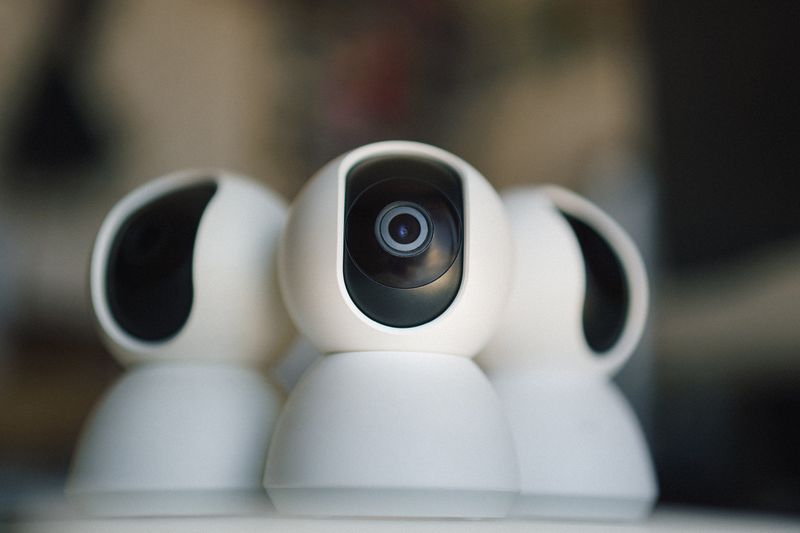
The AverMedia CAM 313 focuses on simplicity. It's a plug-and-play webcam that works immediately with most operating systems and conferencing platforms.
Its straightforward setup and broad compatibility make it attractive for users who just need a reliable webcam without extra features.
Pros
- Easy setup
- Broad compatibility
- Full HD video
- Affordable pricing
Cons
- No autofocus
- Limited low-light performance
- Basic microphone quality
Best for: Users who want a simple, dependable webcam.
Skip if: You need premium image processing features.
Microsoft LifeCam HD-3000

The Microsoft LifeCam HD-3000 remains one of the most affordable webcams available. While its 720p resolution falls behind newer competitors, Microsoft's TrueColor technology helps improve image quality for basic video calls.
It's a practical choice for students, occasional remote workers, and budget-conscious buyers.
Pros
- Extremely affordable
- Easy to install
- Lightweight design
- Reliable performance
Cons
- Limited to 720p
- No autofocus
- Narrower field of view
Best for: Users with very basic webcam needs.
Skip if: You need full-HD quality or advanced features.
Final Verdict
The Logitech C920e is still the best overall budget webcam thanks to its strong video quality, dependable microphones, privacy shutter, and proven reliability.
If you need a wider viewing angle, choose the Anker PowerConf C300. For low-light environments, the Razer Kiyo remains one of the best values thanks to its built-in ring light.
Professionals who prioritize audio quality should consider the Creative Live! Cam Sync 1080p V2, while the AverMedia CAM 313 and Microsoft LifeCam HD-3000 offer solid entry-level options for more modest needs.
Where to buy
Prices change often, so check the current deal before you buy.
Links go to Amazon. As an Amazon Associate we earn from qualifying purchases.How this guide was researched
Last checked: . Prices, models and availability change, so confirm them before you buy.
We don't test every product ourselves. Each pick is built from the manufacturer's published specifications, independent lab and reviewer measurements, long-term owner feedback, and the current retail listing. Nothing here is paid for, and links never decide which product we recommend.
Verify the specifications yourself
Our research method · Found a mistake? Tell us and we'll correct it